One academy account
The live class, the course, the roster, and the certificate stay on the same guard.
Ontario security guard academy software
Ontario security guard academy software is the system a guard school uses to teach live, keep the course, and issue a certificate when the guard finishes. knewr puts that work on one account. It does not issue an Ontario licence.


Overview
An Ontario security guard academy teaches a cohort, records the class, and gives the guard a certificate from the school. The software for that academy should hold the class, the course, and the credential together.
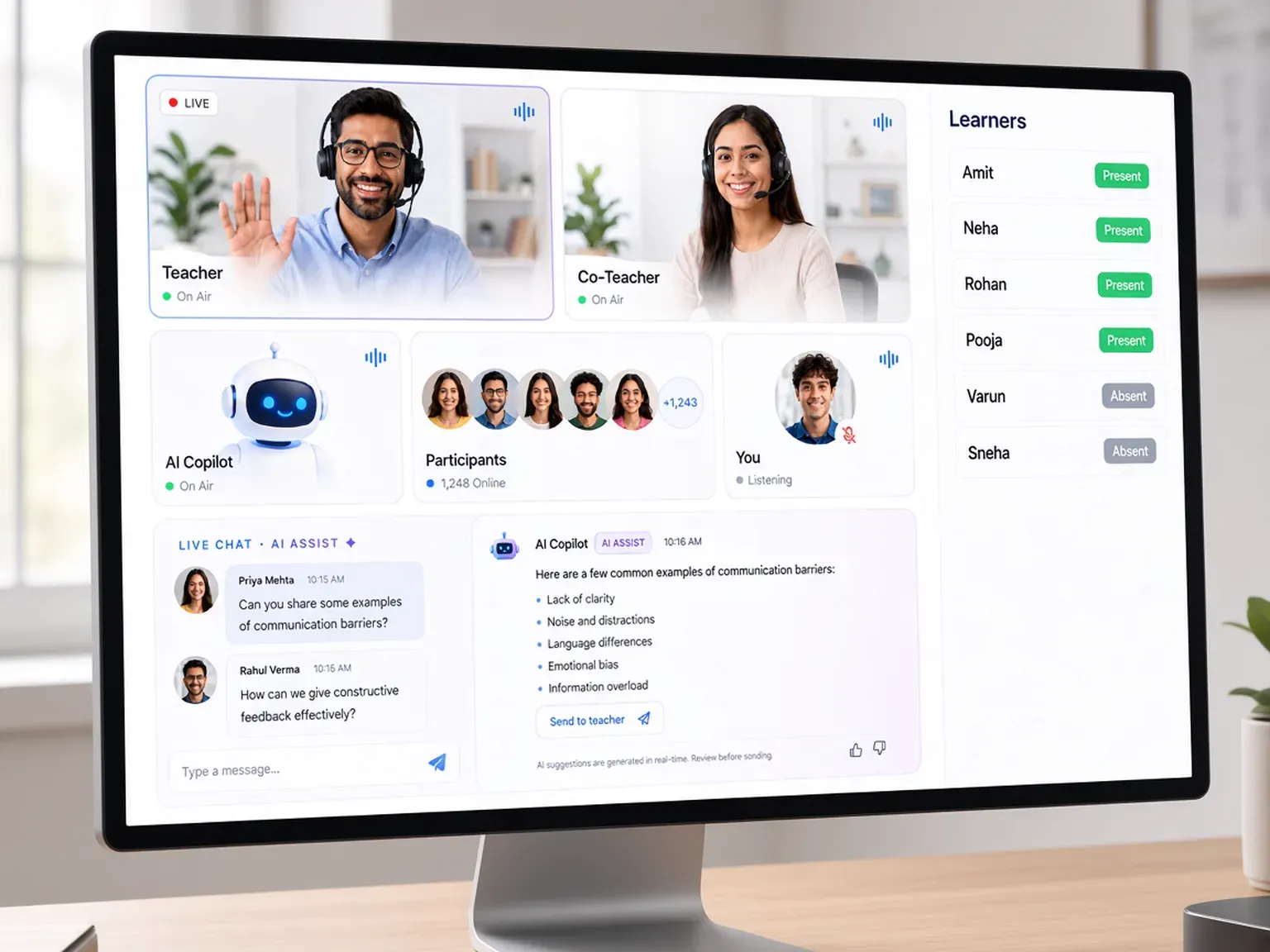
knewr is built for that work. Instructors run live classes inside the platform, with unlimited attendees and automatic attendance and presence. A session can include a Teacher, a Co-Teacher, and an AI Copilot Teacher. The school can build the course from its own PDFs, decks, and video, then add quizzes and tests that knewr generates and scores. Learners can review an attempt and try again. When the guard finishes, knewr creates a branded certificate they can download, print, or receive by email.
Guards can use a branded iOS and Android app. The certificate is a school credential. It is not an Ontario security guard licence, and knewr does not decide whether a guard or a school meets a provincial requirement. The academy owns the curriculum.
Benefits
The live class, the course, the roster, and the certificate stay on the same guard.
Run the session in knewr, with unlimited attendees and attendance recorded for the class.
Build the lesson from the academy’s own PDFs, decks, and video, then review it before guards see it.
Generate quizzes and tests, score them automatically, and let learners review and reattempt.
Issue a branded certificate the guard can download, print, or receive by email.
Give learners an iOS and Android app under the academy’s name.
How it works
Add the school brand, the instructors, and the courses the school will teach.
Use the school’s own material, with AI-assisted drafting if the academy wants it, then review the lesson before guards see it.
Add learners once so the class, the course, and the certificate stay on that person.
Run the class in knewr and record attendance and presence for the session.
When the guard finishes, knewr creates a branded certificate from the same account.
Built with KNEWR
Teach the cohort inside knewr, without Zoom, Google Meet, or Microsoft Teams.
Record who was in the live class automatically.
Structure the lesson as chapters, topics, assets, quizzes, and tests.
Generate assessments, score attempts, and let learners review and reattempt.
Create a branded school certificate on completion, ready to download, print, or email.
Publish the learner experience on iOS and Android under the academy’s brand.
FAQs
It is software a security guard academy uses to run live classes, keep courses, manage learners, and issue certificates. knewr holds that work on one academy account. The school teaches its own curriculum.
It is for owners, administrators, and instructors of academies that train security guards. The school owns the account and the curriculum. Guards take the class and receive the school certificate.
Yes. Live classes are built into knewr, with unlimited attendees. Attendance and presence are recorded automatically. The school does not need Zoom, Google Meet, or Microsoft Teams for the session.
No. The academy teaches its own curriculum. knewr can help draft a course from the school’s PDFs, decks, and video. The school reviews the lesson before guards see it.
When the guard finishes, knewr can issue a branded certificate to download, print, or receive by email. That certificate is a school credential. It is not an Ontario security guard licence.
No. knewr does not issue a provincial licence and does not decide whether a guard or a school meets an Ontario requirement.
Yes. The school can give learners a branded iOS and Android app, so the course stays under the academy’s name.
Related pages
knewr is software for Texas security officer academies, with live classes, courses, attendance, and certificates on one account. It does not issue a state license.
View page →knewr is software for Florida security academies, with live classes, courses, attendance, and branded certificates on one account. It does not issue a state license.
View page →knewr is a security guard LMS for live classes, AI-assisted courses, branded officer apps, automated certificates, and academy administration.
View page →knewr issues branded training certificates from the same academy account as live classes, courses, and learner apps.
View page →