Attendance inside the class
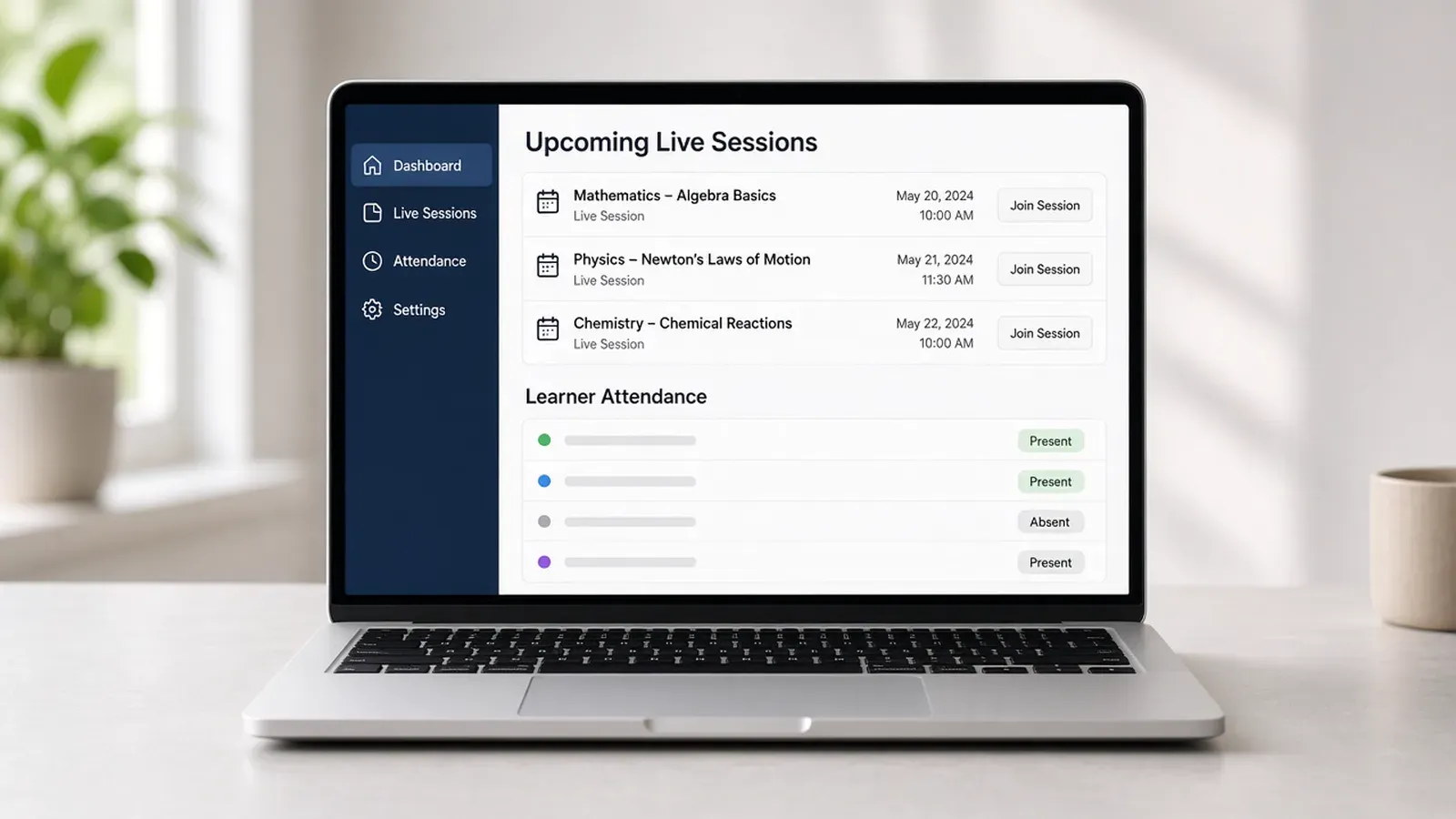
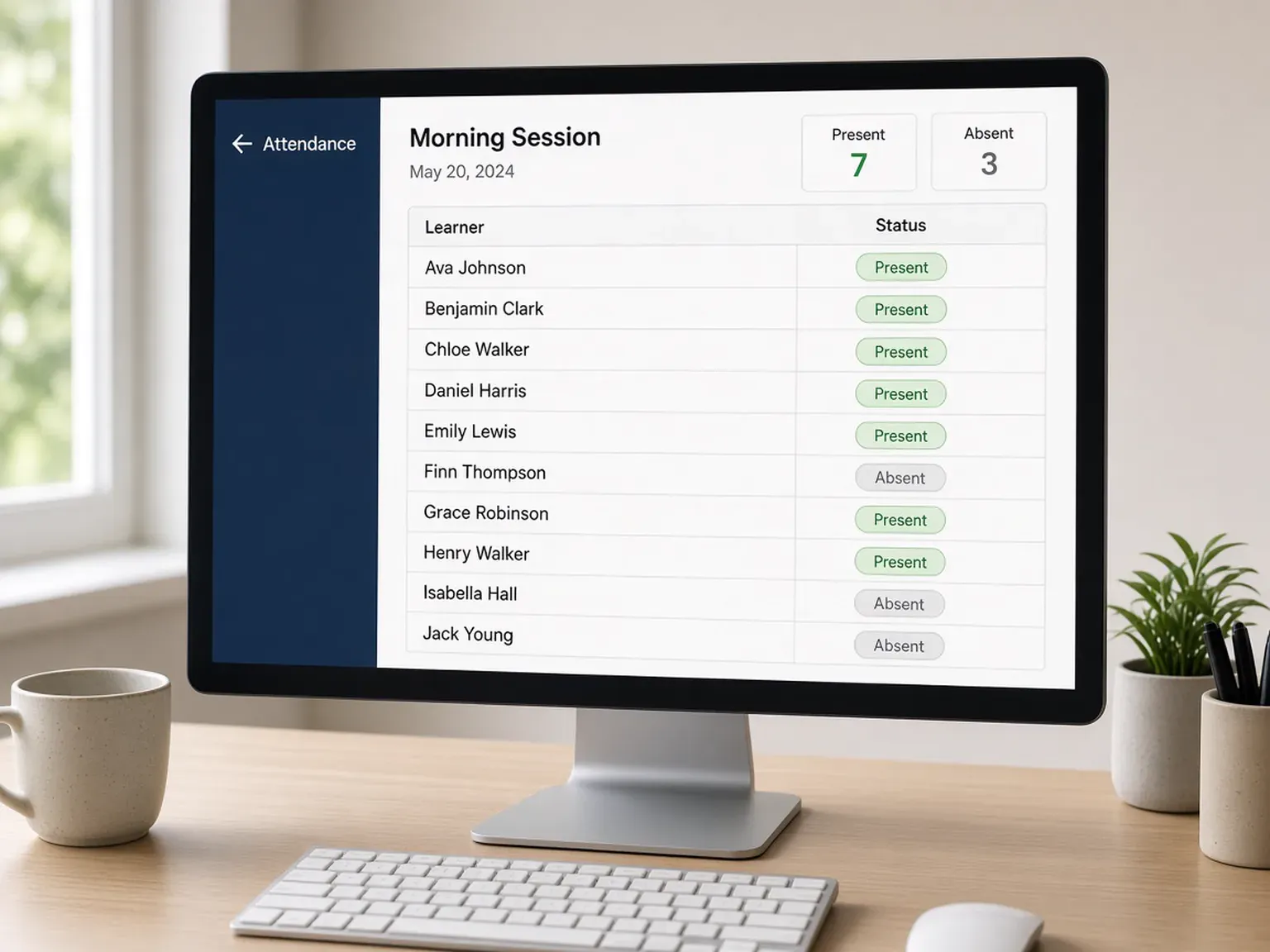
Automatic attendance and presence tracking sit on the built-in live class, not on a separate sheet.
attendance and class management
Attendance and class management keeps the roster on the live class. knewr records attendance and presence automatically, with a teacher, a co-teacher, and an AI copilot teacher in the same session, and keeps that record with the course, the branded app, and the certificate.

Overview
A class roster that lives in a spreadsheet splits the session from the learner. Attendance and class management should hold the people, the live class, and the record on one academy account.
knewr is built for that job. Instructors run the live class inside the platform. Attendance and presence are tracked automatically for that session. The academy can assign a teacher, a co-teacher, and an AI copilot teacher. Learners see live classes and attendance on their dashboard, including in the branded iOS and Android app.
The roster stays with the course and the certificate. When the learner finishes, knewr can issue an automated certificate from the same account. That certificate is an academy credential. knewr does not issue a license and does not decide whether attendance meets an outside requirement.
Benefits
Automatic attendance and presence tracking sit on the built-in live class, not on a separate sheet.
The learner, the class, the course, and the certificate stay on the same academy account.
Assign a teacher, a co-teacher, and an AI copilot teacher for the session.
Run the session without sending the cohort to a separate meeting tool.
Live classes and attendance appear on the learner dashboard, including in the branded app.
Issue an automated certificate from the same account when the learner finishes.
How it works
Add the learners once so the class, the course, and the certificate stay on that person.
Set a teacher, a co-teacher, and an AI copilot teacher for the session.
Run the class in knewr, with attendance and presence tracked on that session.
See live classes and attendance with the learner, including in the branded app.
When the learner finishes, knewr creates an automated certificate from the same account.
Built with KNEWR
Record who is in the live class without a separate attendance tool.
Hold the session in knewr, with the cohort and the instructors on the academy account.
Give the room the roles the academy needs for that session.
Manage the people in the class from the same session.
Show live classes and attendance with the course, quizzes, and certificates.
Let learners open the academy on iOS and Android, then issue an automated certificate from the same account.
FAQs
It is the way a training academy runs a live class and keeps attendance with that session. knewr records attendance and presence on the built-in live class, on the same account as the course and the certificate.
It is for academy owners, administrators, and instructors who run cohorts. Learners join the class. The academy owns the account and the roster.
knewr records attendance and presence automatically for the live class. Staff do not keep a separate attendance sheet for that session.
A session can have a teacher, a co-teacher, and an AI copilot teacher. The academy configures those roles.
Live classes are built into knewr, so the cohort meets on the same account that holds the roster and the certificate.
Yes. Live classes and attendance are part of the learner dashboard, and learners can open the academy in a branded iOS and Android app.
knewr can issue an automated certificate when the learner finishes. That certificate is an academy credential. It is not a license, and knewr does not decide whether attendance meets an outside requirement.
Related pages
knewr is a live class platform for training academies, with built-in classes, courses, an AI teacher, branded apps, and certificates.
View page →knewr generates quizzes and tests for training academies and scores attempts automatically, on the same account as classes, courses, and certificates.
View page →knewr gives training academies a branded learner app for iOS and Android, with live classes, AI-assisted courses, and automated certificates.
View page →knewr issues branded training certificates from the same academy account as live classes, courses, and learner apps.
View page →